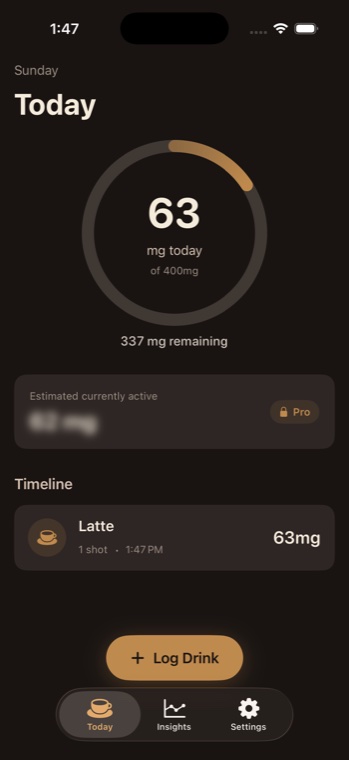
1. Log the drink you actually had
Choose from the built-in coffee, espresso, tea, matcha, yerba mate, and energy drink options. Shot counts and caffeine amounts make a quick entry useful without requiring a barcode database or account.
If you use the same drink often, App Shortcuts can log a usual drink from Siri or the Shortcuts app.
2. Correct the details instead of abandoning the log
A real cup is not always the default. Brewlytics supports changing the caffeine amount and timestamp, editing an entry when your memory or serving size was off, and deleting an entry that does not belong in the day.
You can also save custom drinks with your own caffeine amount, then reuse them in the same quick-add flow.
- Edit caffeine when the serving was stronger or smaller.
- Edit the time when you log after the fact.
- Delete accidental or duplicate entries.
3. Review the day, then zoom out
The Today screen shows total caffeine, remaining daily limit, and the timeline. Optional reminders can prompt an empty-day check-in, while weekly summaries and Pro insights help you see average intake, peak days, over-limit days, favorite drinks, and hourly patterns.
Pro adds active caffeine, decay, bedtime estimates, beans and freshness, and smart alerts. Free tracking remains focused on daily intake.
Local-first by design
Drink logs and settings are stored on the iPhone, and no account is required. Brewlytics may use limited anonymous product analytics for reliability and product improvement; caffeine log details are not sold.